Question Paper Extractor
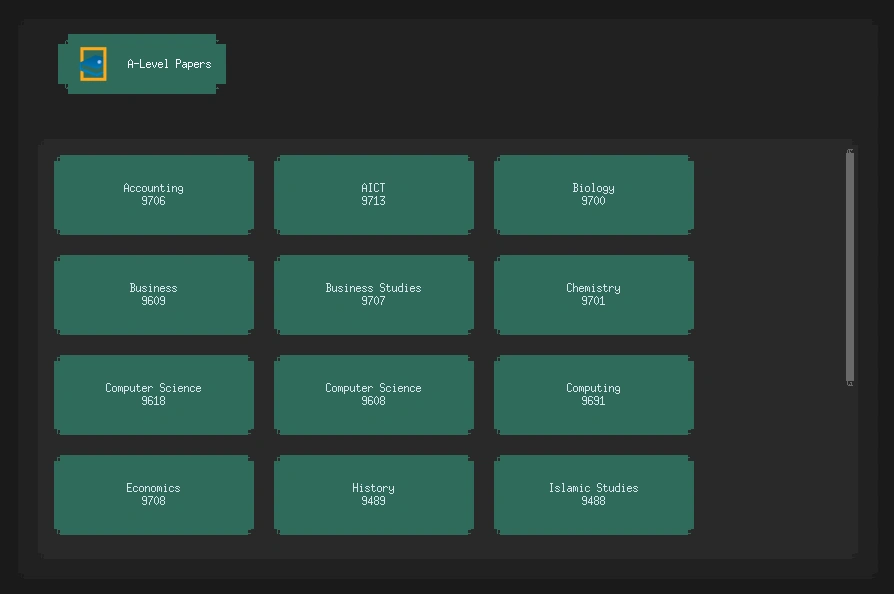
A GUI automation tool to scrape and download A-Level past papers with a user-friendly interface.
$ cat tech_stack.txt
⚠ Challenges Faced
- • Bypassing basic anti-scraping measures on educational websites
- • Structuring downloaded files neatly into appropriate directories
- • Designing an intuitive graphical interface for non-technical users
💡 Lessons Learned
- • Python's Requests and BeautifulSoup libraries make web scraping incredibly efficient
- • Automating repetitive academic tasks saves countless hours
- • A simple GUI can significantly increase adoption among end-users
cat detailed_explanation.md
Project Overview
The Question Paper Extractor is a Python-based Command Line Interface (CLI) tool that automates the tedious process of downloading A-Level past papers.
Problem Statement
As an A-Level student, downloading past papers for revision was an incredibly tedious task. It involved navigating through ad-filled websites, clicking multiple links, and manually organizing PDFs into subject and year folders.
Solution
I wrote a Python script to automate the entire pipeline. The user simply inputs the subject code and the desired year, and the script handles the rest. It scrapes the website, identifies the correct PDF links, downloads them, and organizes them automatically into perfectly structured local directories.
Technical Implementation
Web Scraping Logic
The tool heavily relies on the requests library to fetch HTML content and BeautifulSoup4 to parse the DOM and extract the .pdf href attributes.
# Simplified snippet of the extraction logic
import requests
from bs4 import BeautifulSoup
import os

def download_papers(subject, year):
    url = f"https://example-past-papers.com/{subject}/{year}"
    response = requests.get(url)
    soup = BeautifulSoup(response.text, 'html.parser')

    links = soup.find_all('a', href=lambda href: (href and href.endswith('.pdf')))

    for link in links:
        pdf_url = link['href']
        # Download and save logic...
Key Features
- Automated Scraping: Fetches all available papers for a given subject and year.
- Auto-Organization: Automatically creates nested directories (e.g.,
Physics/2023/) and places the PDFs inside. - Batch Downloading: Can download entire years of papers (Question Papers, Mark Schemes, Examiner Reports) in one command.
Areas for Improvement
- GUI Interface: Building a simple Tkinter or CustomTkinter graphical interface for non-CLI users.
- More Sources: Expanding the scraper to support IB and IGCSE past paper websites.
- Multithreading: Implementing concurrent downloads to drastically speed up the extraction process.